No products in the cart.
If you work as a graphic designer, video editor, or creative professional in Nepal, having an appropriately equipped laptop for graphic design and video editing can mean the difference between success and failure. Whether you’re editing 4K films, designing posters using Photoshop, or producing motion graphics, you’ll need a system that can handle high-performance activities smoothly and consistently.
At Pinnacle Computer World, we help hundreds of creative customers locate laptops that meet their specific requirements like Laptop for Graphic designing,Video editing and gaming also, both online and in-store. In this tutorial, we’ll explain why specifications matter and how to select the best laptop for design or editing work.
Find What You Researching Directly!
Key Specifications to Consider:
1. Processor (CPU) – The Brain of Your Laptop:
Laptop for Graphic Designing and Laptop for Video editing | When working with demanding creative applications such as Adobe Premiere Pro, After Effects, and Photoshop, the performance of your laptop’s CPU is a critical factor. These applications require significant processing power to handle tasks like rendering, video editing, and multitasking efficiently. Choosing the right processor ensures faster performance, smoother workflows, and minimal lag.
Recommended CPUs:
- Intel Core i7 or i9 (13th Generation or Newer):- Intel’s latest processors are built for high performance, offering excellent single-core and multi-core capabilities, which are crucial for rendering, exporting, and handling large design files.
- AMD Ryzen 7 or Ryzen 9 (7000 Series or Newer):– AMD processors are known for their superior multi-threading performance, making them ideal for multitasking and high-resolution video editing.
Laptops with higher core counts can distribute workloads more effectively, ensuring faster rendering times, smoother previews, and better performance when handling multiple applications simultaneously. Whether you’re applying effects in After Effects or editing 4K video footage in Premiere Pro, a powerful processor is a must-have for professional results.
By investing in a laptop with a robust CPU, you’ll experience greater efficiency and productivity, allowing you to focus on your creative vision without being held back by technical limitations.
2. Graphics Card (GPU) – Especially Laptop for Video Editing:
For tasks such as rendering timelines, real-time playback, and working with high-resolution 4K footage or intricate effects, a dedicated GPU (Graphics Processing Unit) is essential. The GPU handles complex visual computations, ensuring smoother performance and reducing lag during intensive workflows.
Recommended GPUs:
- NVIDIA RTX 3050, 3060, 4060 or higher:- NVIDIA’s RTX series offers exceptional performance with advanced features like ray tracing and AI-driven tools, which are invaluable for video editing, 3D rendering, and motion graphics.
- For Mac users, M2 Pro or M2 Max chips are excellent:- Apple’s M2 Pro and M2 Max chips integrate high-performance GPUs optimized for creative applications, offering seamless playback and rendering in macOS environments.
GPU acceleration can significantly speed up operations, often by 2-3 times compared to CPU-only workflows. This is especially noticeable when applying effects, rendering timelines, or exporting videos. With a powerful GPU, you can enjoy real-time playback of complex edits without stutter, allowing you to focus on creativity instead of troubleshooting performance issues.
Investing in a laptop with a capable GPU ensures your system can handle demanding creative projects with ease, enabling a smoother, more efficient workflow.
3. RAM – The More, the Better:
RAM, or Random Access Memory, serves as your laptop’s temporary workspace, allowing you to store and quickly access data while running applications. For graphic design, video editing, and other creative tasks, having sufficient RAM is crucial to ensure smooth multitasking, faster processing, and the ability to work with large files without system slowdowns.
Minimum:– A 16GB setup is adequate for basic video editing, graphic design, and light multitasking. It supports running creative applications like Photoshop, Premiere Pro, and After Effects simultaneously, though performance may dip with heavier workloads.
Recommended: For professionals working with large files, high-resolution video footage, or advanced effects, 32GB of RAM is ideal. This amount of memory ensures faster rendering, smoother playback, and better responsiveness, especially when managing multiple resource-intensive tasks at once.
Insufficient RAM can lead to lag, crashes, or delays, particularly when handling complex timelines, high-resolution images, or multi-layered designs. Upgrading to a laptop with ample RAM allows you to work seamlessly, focus on your creativity, and avoid workflow interruptions.
By prioritizing adequate RAM in your laptop, you’ll ensure better performance and an overall more efficient creative experience.
4. Storage – Go SSD, Not HDD:
In the fast-paced world of graphic design and video editing, speed can make or break your workflow. A Solid-State Drive (SSD) is a crucial component for modern laptops, ensuring quick file loading, faster software initialization, and seamless operation of resource-intensive applications.
Minimum SSD: A 512GB SSD provides sufficient space for your operating system, essential software like Photoshop or Premiere Pro, and a decent amount of project files. However, for larger projects or extensive media libraries, additional storage may be necessary.
For Heavy Users: 1TB or Higher:- If you frequently work with 4K videos, high-resolution images, or large design files, a 1TB SSD is highly recommended. This ensures you have enough space to store active projects without constantly offloading files.
Bonus: Consider purchasing an external drive, preferably a 1TB SSD or HDD, for project backups and archival storage. This not only protects your work from data loss but also frees up valuable internal storage for ongoing tasks.
Compared to traditional Hard Disk Drives (HDDs), SSDs are significantly faster, quieter, and more reliable. They drastically reduce loading times for applications and files, allowing you to focus on your creativity without interruptions caused by slow performance.
By investing in a laptop with an SSD and supplementing with external storage, you’ll ensure speed, efficiency, and the security of your creative projects.
5. Display – Color Accuracy is Crucial:
If you’re working in fields like graphic design or video editing, where precision and accuracy are critical, the quality of your laptop’s display is one of the most important factors to consider. For professionals performing color-sensitive tasks, having a display that accurately represents tones, shades, and gradients is not just a luxury—it’s a necessity. Inaccurate colors can lead to poor-quality outputs, especially when your work is meant for print or professional media production, where even the slightest color mismatch can have significant consequences.
When selecting a laptop for graphic design or video editing, you need to focus on displays that cater specifically to color-critical workflows. Here are a few key specifications to look for:
- IPS Panel Technology (Not TN):
Displays using IPS (In-Plane Switching) panels provide superior color reproduction and wider viewing angles compared to TN (Twisted Nematic) panels. IPS panels ensure that colors remain consistent, even when viewed from different angles. This is crucial for professionals who rely on accuracy and need a display that can maintain visual fidelity during collaborative work or client presentations. - 100% sRGB or AdobeRGB Color Coverage:
The color coverage of a display indicates how well it can represent specific color spaces. For tasks like photo editing, graphic design, and video color grading, a laptop with 100% sRGB or AdobeRGB coverage is highly recommended. The sRGB color space is standard for digital content, while AdobeRGB is preferred for print work due to its wider gamut. Choosing a laptop with these features ensures vibrant, true-to-life colors that align with professional standards. - High Resolution (1080p or 4K):
The resolution of your display affects the clarity and detail of your work. A 1080p (Full HD) resolution is often sufficient for many design tasks, but if you’re dealing with ultra-high-definition content or multitasking across multiple tools, a 4K display offers sharper images and more workspace. The additional pixels can make a substantial difference in your productivity and the quality of your visual assessments. - Factory-Calibrated Screens (Optional):
Some high-end laptops come with factory-calibrated screens, meaning they are pre-tuned for color accuracy right out of the box. This saves time and effort, ensuring your display is ready for professional use without requiring manual calibration. For users working in industries where precision is non-negotiable, this feature can be a game-changer.
By focusing on these specifications, you can ensure your laptop is capable of delivering the accurate and reliable color performance required for professional creative work. Investing in a high-quality display not only improves your workflow but also boosts your confidence in presenting polished and professional results to clients, employers, or your audience. Whether you’re creating digital illustrations, editing cinematic footage, or designing complex layouts, a high-performance display is your gateway to producing exceptional work every time.
6. Battery Life: Portability Without Compromise:
As a creative professional, your workspace often extends beyond the confines of an office or studio. Whether you’re working on a client project in a café, editing videos during a long commute, or finalizing a presentation on-site, a laptop with reliable battery life is essential to keep your productivity uninterrupted.
A dependable battery ensures you can work without constantly searching for power outlets, especially in scenarios where access to electricity is limited or unavailable. For video editors, graphic designers, and other creatives, long battery life also means greater flexibility to shift between locations without worrying about downtime caused by a drained battery.
Recommended Battery Life for Creative Work:
- Minimum: 6–8 hours of battery life
- Suitable for moderate tasks like designing in Photoshop, basic video editing, or using productivity apps.
- Preferred: 10–12 hours or more
- Ideal for extended sessions involving resource-intensive applications like Premiere Pro or After Effects, where heavy rendering and multitasking are common.
Battery life plays a critical role in enabling the flexibility and freedom that creative professionals require. A laptop with reliable, long-lasting battery performance not only ensures uninterrupted productivity but also empowers you to work creatively and efficiently, no matter where inspiration strikes. By choosing a laptop with robust battery life and adopting power-saving practices, you can maximize your efficiency and make the most of your creative journey.
7. Build Quality and Cooling: Durability Meets Performance:
For creative professionals, a laptop is more than just a tool—it’s an investment. The build quality and thermal management of your device play a significant role in ensuring its longevity, reliability, and consistent performance, especially during intensive tasks like video rendering or working with complex design files.
A well-constructed laptop can withstand the rigors of daily use, travel, and unpredictable work environments. Creative professionals often find themselves working in various settings, from bustling cafes to outdoor shoots. In such scenarios, a durable laptop ensures that your device remains functional and intact, even with frequent handling or accidental bumps.
- Metal or Robust Plastic Build:
- Metal Chassis: Laptops with aluminum or magnesium alloy bodies offer superior durability, a premium feel, and better heat dissipation compared to plastic models.
- Robust Plastic: High-quality plastic builds provide lightweight durability and are often more affordable while still offering adequate protection.
- Ergonomic Design:
- Features like spill-resistant keyboards, reinforced hinges, and shock-resistant builds enhance durability and usability, ensuring the laptop can withstand unexpected incidents.
Importance of Cooling Systems
Creative tasks like video editing, 3D rendering, and multitasking with heavy software can push your laptop’s hardware to its limits, generating significant heat. Efficient cooling systems are vital to maintain optimal performance during these high-demand scenarios.
Advanced Cooling Systems
Thermal Throttling Prevention
Recommended Laptops for Creatives at Pinnacle Computer World:

Here are top 5 selected laptop for graphic designing,video editing and gaming that deliver the best experience for creatives in 2025:
| Laptop | CPU & GPU | RAM & Storage | Display | Why? |
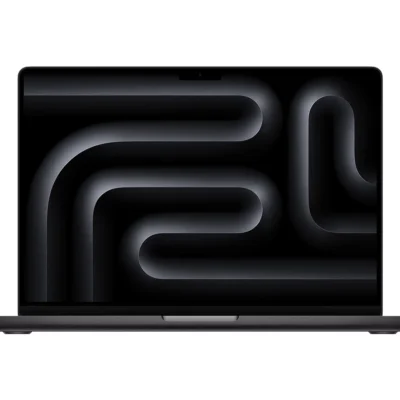
| Apple MacBook Air M3 (2025) | CPU: Apple M3 (8-core) GPU: 10-core GPU | RAM: 16GB Unified Storage: 512GB SSD | 13.6″ Liquid Retina (2560×1664, P3, 500 nits) | Best color accuracy, ultra-portable, 18+ hrs battery |
| ASUS VivoBook Pro 16X OLED (2025) | CPU: Intel Core Ultra 7 155H (16-core) GPU: RTX 4060 (8GB) | RAM: 16GB DDR5 Storage: 1TB PCIe 4.0 SSD | 16″ 4K OLED (100% DCI-P3, Pantone Validated) | Stunning OLED, great for color-critical work |
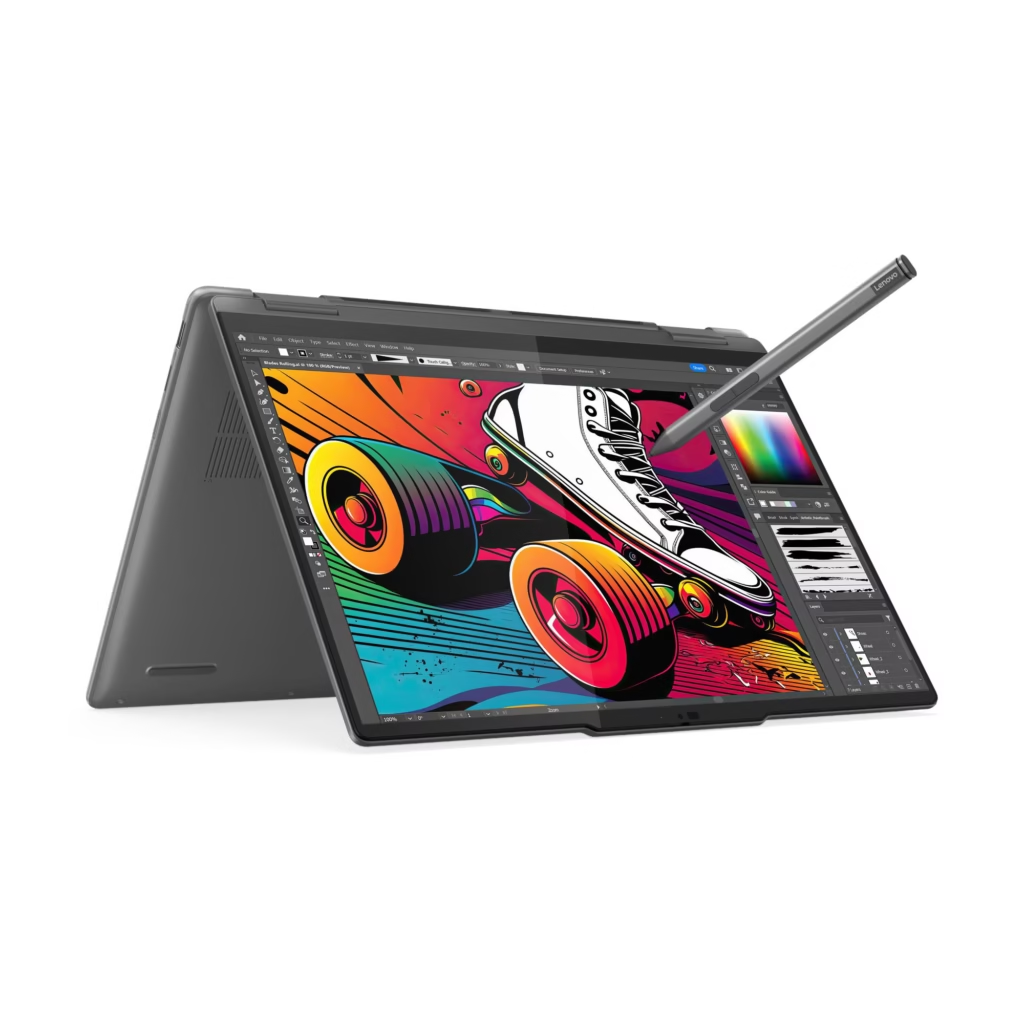
| Lenovo Yoga Pro 9i (2025) | CPU: Intel Core Ultra 9 185H (16-core) GPU: RTX 4050 (6GB) | RAM: 32GB LPDDR5X Storage: 1TB SSD | 14.5″ 3K 120Hz (100% DCI-P3, Touch) | Powerful CPU, lightweight, great for Adobe apps |
| HP Omen Transcend 16 (2025) | CPU: AMD Ryzen 9 7945HX (16-core) GPU: RTX 4070 (8GB) | RAM: 16GB DDR5 Storage: 1TB SSD | 16″ QHD+ 240Hz (100% DCI-P3) | Best GPU under 2L, great for 4K editing |
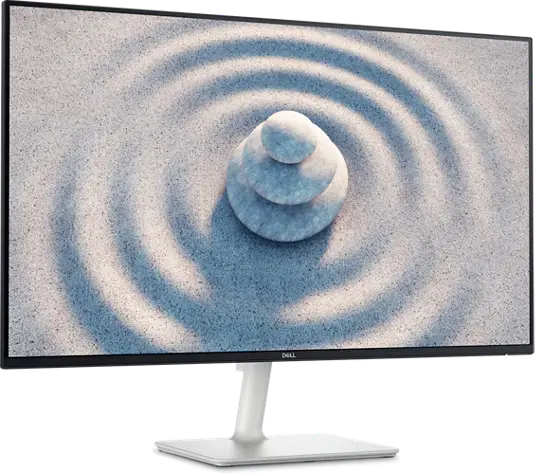
| Dell Inspiron 16 Plus (2025) | CPU: Intel Core Ultra 7 155H GPU: RTX 4050 (6GB) | RAM: 16GB DDR5 Storage: 1TB SSD | 16″ 3K IPS (100% sRGB, Dolby Vision) | Reliable, good cooling, great for long work sessions |
Budget Guide
| Price Range | What You Can Expect |
| Rs. 1,00,000 – 1,40,000 | Entry-level design and basic editing |
| Rs. 1,50,000 – 2,00,000 | Smooth experience for 1080p video, multitasking |
| Rs. 2,00,000+ | Best for 4K video, animation, 3D rendering |
Need a custom recommendation? Just visit our store or contact us directly for expert advice.
Final Thoughts:
Choosing the perfect laptop for design and video production is about more than simply speed. You need:
- A color-accurate display
- Powerful GPU/CPU combination.
- Lots of RAM.
- Fast SSD storage.
Whether you’re a beginner or a professional, the correct tools will help you reach your full creative potential.
👉 Visit Pinnacle Computer World today, online or in-store, for the best bargains and expert advice on creative laptops.
Related Articles: